Buying laptops for a 5–25 person office: a checklist for a useful quotation
“Please quote ten i7 laptops” sounds like a clear request. It leaves out most of what determines whether those laptops will work for your office. Which processor model? How much memory? Is Windows included? Does the keyboard have Arabic characters? What happens if one machine fails?
For a small office, the goal is not to buy the most impressive specification. It is to give each person a computer that suits their work, compare quotations fairly, and avoid buying missing items after delivery. Start with the checklist below before choosing a brand or asking for a discount.
1. List the work before the machines
Split your team into work groups. Reception, sales and administration may mainly use email, browser-based systems, spreadsheets and video calls. An accountant handling large workbooks may need more memory. A designer using CAD, 3D or video software needs a separate assessment against the software vendor’s requirements.
Write down the actual applications, not just job titles. Include any older accounting software, VPN, printer, scanner or specialist accessory that must keep working. A sample file and the name of an application are more useful than “high performance”.
A mixed order is reasonable. Ten employees do not automatically need ten identical high-spec laptops. Keep a common configuration for similar roles, then specify exceptions where the workload warrants them.
2. Use memory and storage as a starting brief
For ordinary office multitasking, 16 GB RAM and a 512 GB SSD are a sensible quotation starting point, not a universal minimum. Dell’s current small-business guide recommends 16 GB for everyday office use and identifies 512 GB as a common storage choice. Large spreadsheets, several demanding applications or local datasets may justify asking for a 32 GB alternative. Specialist work still needs an application-specific check.
Storage capacity and backup solve different problems. A larger SSD holds more files; it does not protect them if a laptop is lost. Decide where business files belong and how they will be backed up before delivery. If files live mainly in a managed cloud service, ask how much local storage each role actually needs.
Also ask whether RAM and storage are replaceable or upgradeable in the exact model. Do not assume that every laptop in the same product family has the same upgrade options.
3. Compare the full processor and model, not the badge
“Core i5” or “Core i7” alone is not a complete comparison. Ask for the full processor name, laptop model and manufacturer part number in every quotation. Check the exact configuration against the manufacturer’s specifications.
The same rule applies to graphics. A dedicated graphics card should answer a workload requirement, not simply make the quotation look stronger. For routine office tasks, ask the supplier to explain why an extra graphics option is needed before paying for it.
4. Confirm Windows and application licences separately
A laptop quotation should state the operating system and edition. Do not assume “Windows compatible” means a licensed copy is supplied. Microsoft distinguishes Windows Pro from Home with business features such as domain or Microsoft Entra ID join and BitLocker management capabilities. Ask whoever manages your IT which edition your organisation needs.
Windows compatibility is also more than memory size. Microsoft’s Windows 11 requirements include a supported processor, TPM 2.0 and Secure Boot-capable firmware. Its published minimum specification is an installation baseline, not a promise of comfortable office performance.
Office applications are a separate line item. A trial is not a permanent Office licence, and the presence of Word or Excel on a demonstration machine does not settle what your order includes. State whether your company already has suitable licences and ask for any additional software to be itemised.
5. Check the desk setup, not only the laptop
For staff who travel, discuss weight, screen size and charging needs. For desk-based employees, consider an external monitor, keyboard and mouse. Where number entry is frequent, confirm whether a number pad is needed. Specify an Arabic/English keyboard if that is what the employee expects.
List existing monitors and their connections. A USB-C socket alone does not tell you whether a laptop supports the display, charging and dock arrangement you want. Check the exact port and docking specifications. Include required adapters, Ethernet access and monitor cables in the comparison instead of discovering them after the laptops arrive.
6. Make warranty and delivery terms comparable
Ask for the warranty duration, service type, provider and coverage for the exact part number being supplied in Saudi Arabia. Carry-in, collection and on-site service are not interchangeable. Ask how faults are reported and whether any stated response target has conditions. Do not read a response target as a guaranteed repair time.
Each quotation should identify the quantity, unit and total price, VAT treatment, quotation validity, confirmed availability, delivery location and proposed timing. If the required model is unavailable, ask for a separately identified alternative rather than an unspecified “equivalent”. Compare setup, accessories and software on the same basis.
A copy-ready request for quotation
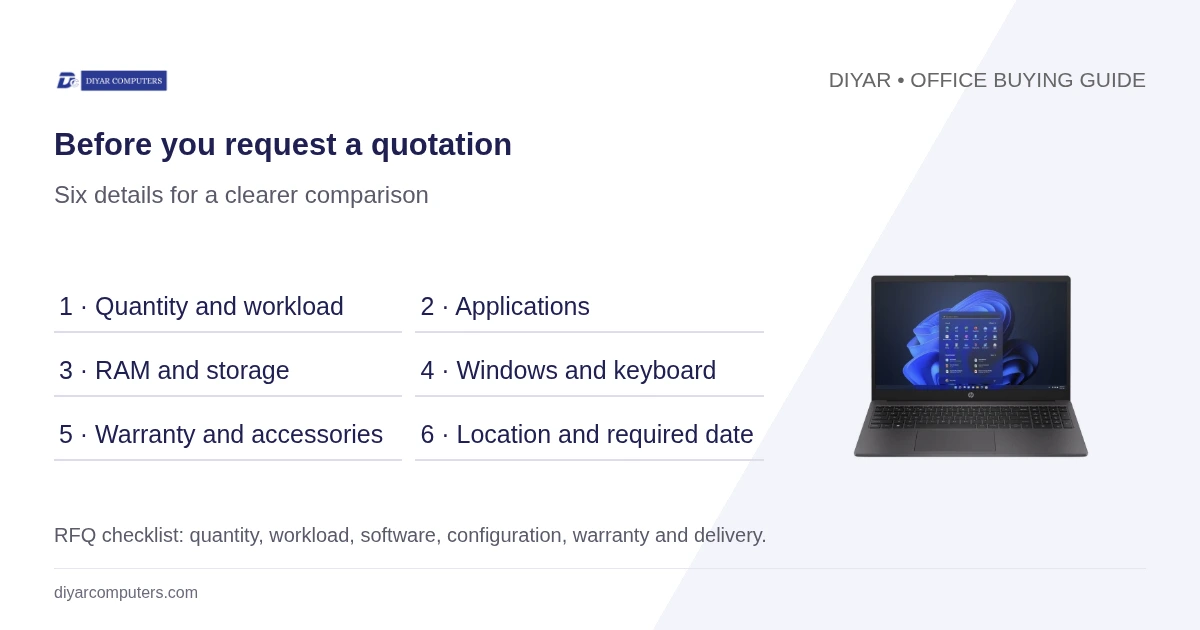
We need [quantity] laptops for [company/location]. The users mainly run [applications and workload]. Please quote the exact model and part number, full processor, [RAM] memory, [SSD] storage, screen size, [Arabic/English] keyboard and [Windows edition]. Please list software licences and accessories separately. Confirm warranty coverage and service type in Saudi Arabia, availability, delivery timing, VAT and quotation validity. Our required date is [date]; our budget is [range, if available]. Please identify any alternative configuration separately.
Before you approve the order
Check the final part numbers against the agreed quotation. Confirm who will prepare the devices, move files and connect printers, and whether those tasks are included or separate. For a larger batch, consider reviewing one agreed sample configuration before committing to the rest. Keep the warranty and asset records with the invoice.
You do not need every employee to have the same laptop. You do need every quotation to describe the same requirement clearly.
Request a quotation from Diyar
Send Diyar Computers your quantity, main applications, preferred keyboard, delivery location and required date. Include an existing specification or model number if you have one. Browse the laptop and desktop category, or contact the team through the website. Availability, configuration, price and fulfilment terms need confirmation in your quotation.